TwoSlash
Assisted writing, coding & social media optimization.
About TwoSlash
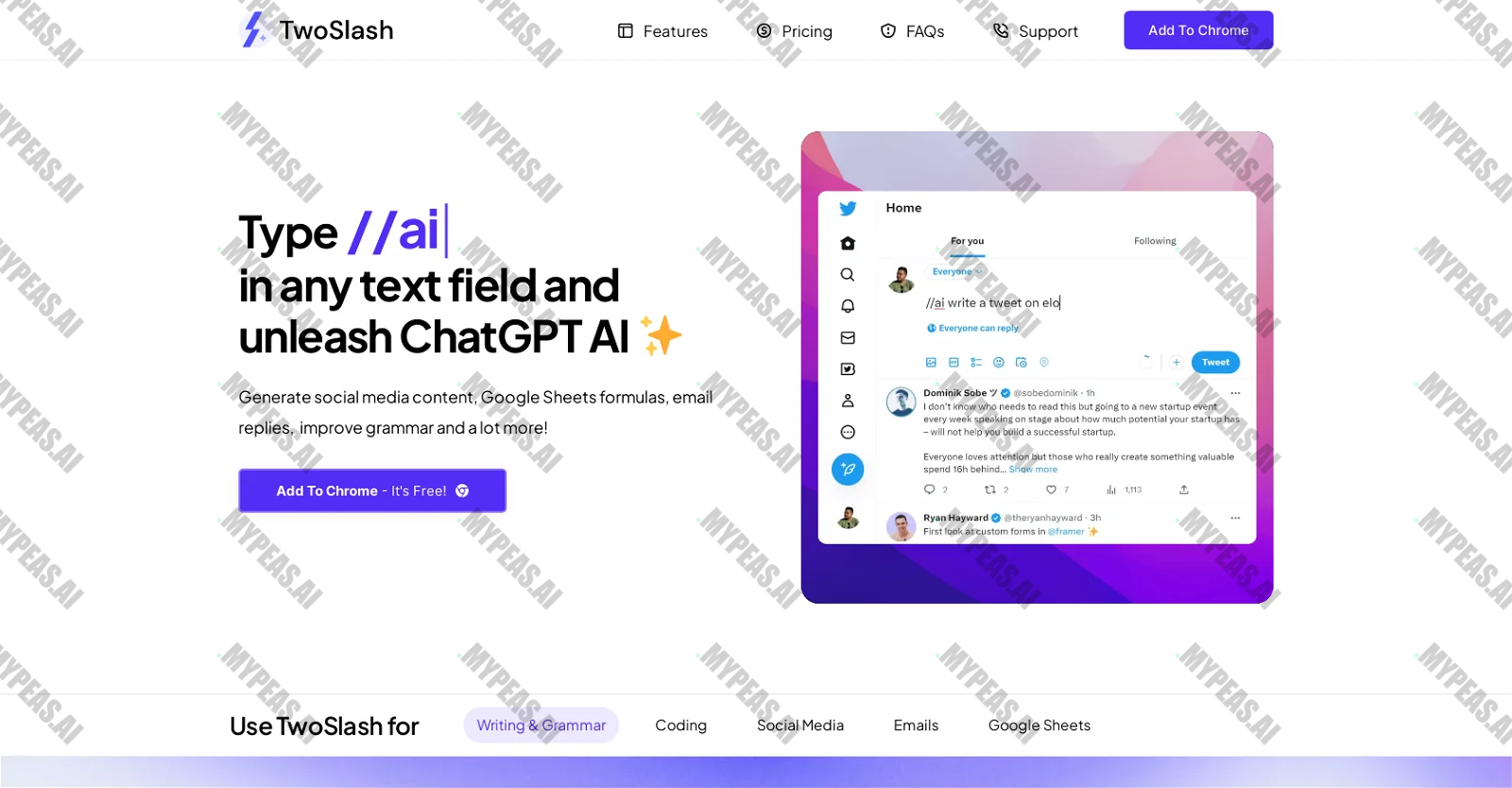
Introducing a revolutionary Chrome extension known as TwoSlash, designed to bring the power of AI directly to your fingertips. This innovative tool opens up a world of possibilities, allowing you to effortlessly generate social media content, refine your grammar, craft Google Sheets formulas, and enhance your email responses. Simply input "//ai|" into any text field to unlock the full potential of ChatGPT AI through TwoSlash. With this extension, you can seamlessly create compelling blog posts, fine-tune articles, and instantly rectify any grammar errors you encounter in real-time. But that's not all - TwoSlash also empowers you to rephrase and summarize content, as well as translate it into various languages. When it comes to coding, this tool is your go-to for debugging, coding in your preferred language, explaining code snippets, and even converting code into different programming languages. On the social media front, TwoSlash equips you with the ability to craft attention-grabbing posts for platforms like Facebook, LinkedIn, and Instagram. Engage with your audience by responding to comments and direct messages using AI assistance. In email correspondence, rely on TwoSlash to aid in composing and replying to emails, along with summarizing email content effectively. Moreover, this versatile extension enables you to generate and elucidate Google Sheets formulas without ever leaving the application. With a straightforward pricing model in place, TwoSlash offers a standard package that grants access to up to 1000 commands per month, all without the need for an API key. For those seeking more advanced features, users have the option to seamlessly integrate their own OpenAI API key for a one-time fee. While currently compatible with the Chrome browser, plans are underway to extend support to other browsers in the near future. What sets TwoSlash apart from the rest is its seamless integration of AI capabilities into Chrome's text input fields, ensuring optimal performance and compatibility with Chrome's APIs and extensions. Experience a higher level of customization and potential integration with various AI models, all while benefiting from dedicated support and a smooth user experience within the Chrome environment.








Track the Impact of Your AI Usage
Document your productivity gains and build your AI portfolio for performance reviews
Start Tracking Free